News from the notch.
Release notes, behind-the-scenes and small essays on building a clipboard manager that feels at home on the Mac. Looking for how a feature works? See the Duplia guides.
Paste alternative for Mac: what to use instead, and what it costs
Paste costs $29.99 a year or $99.99 once. If you do not need iPhone sync, a Mac clipboard manager like Duplia ($9.99 once) or Maccy (free) covers the rest. An honest comparison.
Read more →Raycast and Alfred clipboard history: enough, or do you need a clipboard manager?
Raycast and Alfred both include clipboard history. When the launcher is enough, where it stops, and when a dedicated Mac clipboard manager like Duplia or Maccy makes more sense.
Read more →How to paste without formatting on a Mac
Press Option-Shift-Command-V to paste and match style on a Mac. Where it works, where it does not, and how to strip formatting in Pages, Word, Google Docs, Mail and Notes.
Read more →How to clear the clipboard on a Mac
Copied a password or something private? How to clear the Mac clipboard in seconds, with Terminal or without, and how to clear clipboard history in macOS Tahoe and in clipboard managers.
Read more →How to copy and paste multiple items on a Mac
The Mac clipboard holds one item at a time. How to collect several things and paste them where you need them: built-in tricks, macOS Tahoe's Spotlight history, and a clipboard manager.
Read more →Universal Clipboard not working? How to fix it
Copy on iPhone, paste on Mac not working? Universal Clipboard needs Handoff, Bluetooth, Wi-Fi and the same Apple Account on both devices. A checklist of fixes that actually help.
Read more →A clipboard manager for developers on Mac
What developers and designers need from a Mac clipboard manager: code that stays monospace, hex colours with swatches, fast keyboard paste, and secrets that never get stored.
Read more →Mac copy and paste shortcuts: the complete list
Every Mac copy and paste shortcut in one place: ⌘C, ⌘V, paste and match style, move files with ⌥⌘V, screenshots to the clipboard, Terminal pbcopy, and clipboard history.
Read more →Maccy alternative for Mac: when to switch, and what to switch to
Maccy is free and excellent. Here is when a Maccy alternative makes sense on a Mac, which options exist (Paste, Raycast, Alfred, Duplia), and what each costs.
Read more →A Mac clipboard manager without a subscription: your options in 2026
Looking for a Mac clipboard manager you buy once? The options are Maccy (free), Duplia ($9.99 once) and Alfred. What each costs, and what the subscription ones add.
Read more →How to see your clipboard history on a Mac
On macOS Tahoe, ⌘ Space then ⌘ 4 shows recent copies in Spotlight. Older versions keep only the last one. How both work, and when you need more.
Read more →Win+V on Mac: how to get Windows-style clipboard history
Windows opens clipboard history with Win+V. macOS has no such shortcut, and Tahoe’s Spotlight history is short-lived. How to get the real thing on a Mac.
Read more →Best clipboard manager for Mac in 2026: 7 options compared
Maccy, Raycast, Paste, Alfred, Pastebot, macOS Tahoe’s built-in history and Duplia: prices, trade-offs and who each one is for. Written by us, so Duplia comes last.
Read more →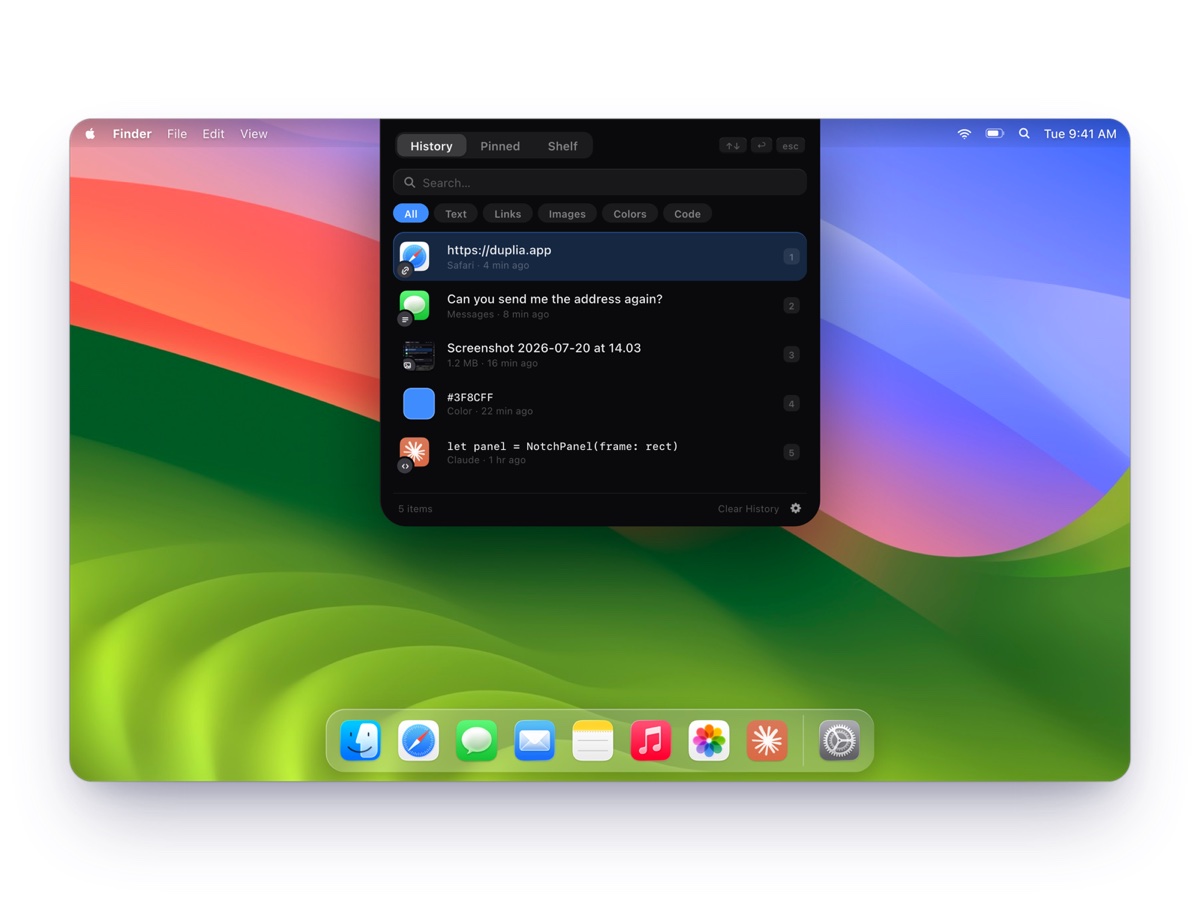
Introducing Duplia: your clipboard, reborn in the notch
Duplia is out — a clipboard history, pins and a file shelf for macOS, living quietly in the notch. $9.99 once, with a 7-day free trial.
Read more →Your clipboard is none of our business
Clipboard managers see everything you copy — so the bar for privacy should be absolute. How Duplia keeps every clip on your Mac, and why it never touches passwords.
Read more →